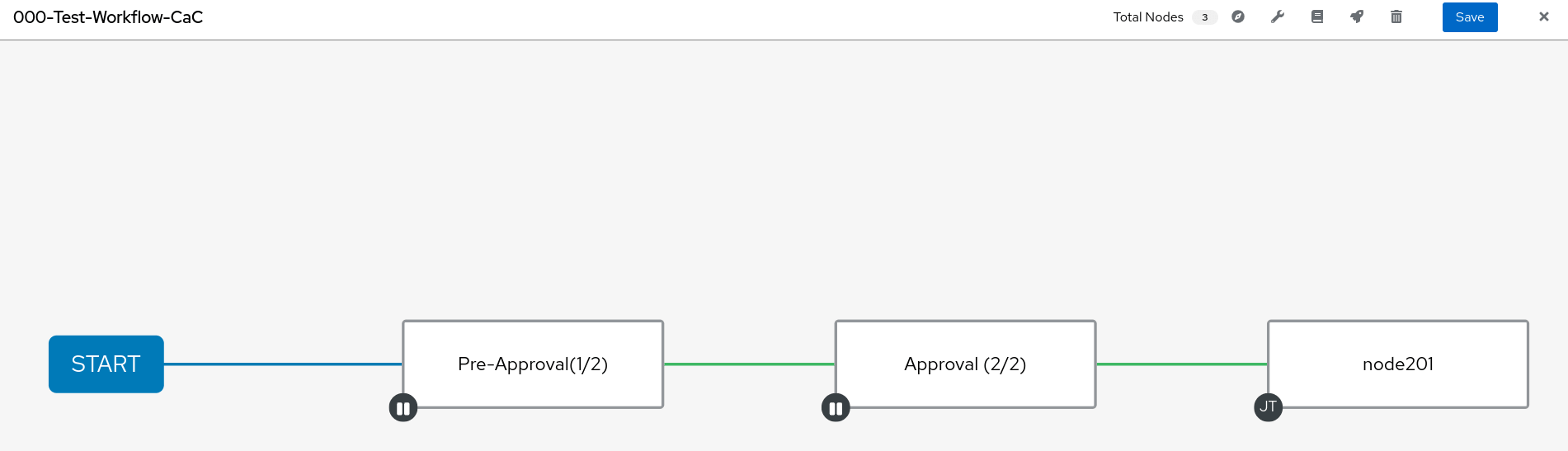
Ansible Automation Controller streamlines IT tasks through automation. A key component of this power lies in workflows . These workflows allow you to orchestrate a sequence of disparate job templates, essentially chaining them together for intricate deployments. Workflows even boast approval nodes, enabling users to pause the process and grant permission before continuing. But what if your scenario demands more nuanced control over these approvals?
The Roadblock with the Approval Nodes
While approval nodes are undeniably helpful, they fall short when it comes to multi-level functionality. You can assign approval roles to multiple users or teams, but here’s the catch: everyone with access can approve any request. This becomes problematic when your deployment process necessitates a sequential approval process with designated teams handling specific stages.
Imagine a scenario where a deployment requires a development team’s approval for initial testing , followed by an operations team’s sign-off for finalization .
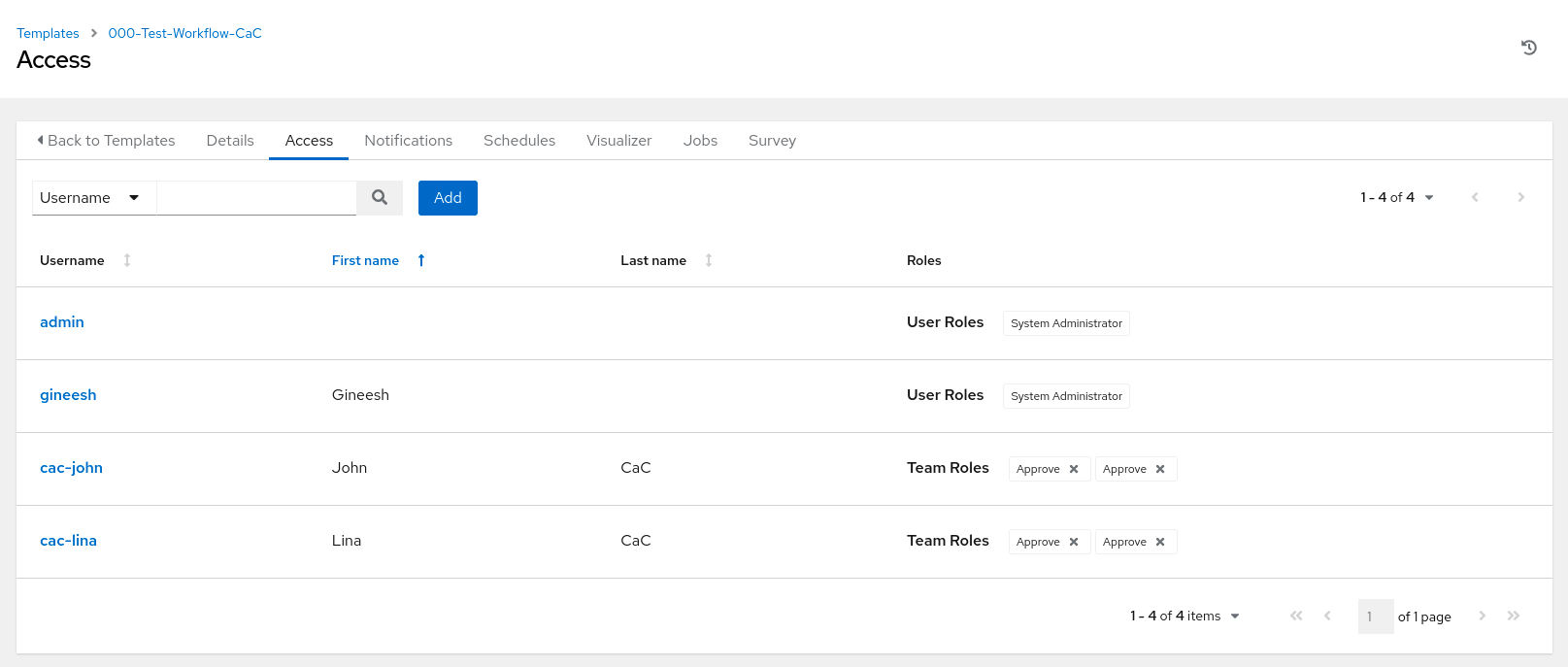
The built-in approval nodes wouldn’t differentiate who approves which step, potentially causing delays or confusion. For example, I have added both Team-A and Team-B as approvers. But you can see both team members ( john and lina ) can approve any nodes in the workflow.
The Preferred Path: External ITSM Integration
For robust multi-level approvals, the best practice is to leverage your existing IT Service Management (ITSM) system. Popular ITSM solutions like ServiceNow or BMC Remedy often have built-in approval workflows. These workflows integrate seamlessly with Ansible Automation Controller through plugins or APIs. This approach offers several advantages:
- Granular Control: You can define intricate approval processes with specific teams responsible for each stage.
- Enhanced Auditability: ITSM systems provide a clear audit trail for approvals, ensuring accountability and compliance.
- Streamlined Change Management: Integration with your existing ITSM system fosters a cohesive change management process.
A Workaround for Internal Workflows (Use with Caution) in Ansible automation controller
If integrating with an ITSM isn’t an option, here’s a workaround within the Automation Controller (remember, this is not an official recommendation):
Crafting Separate Approval Workflows
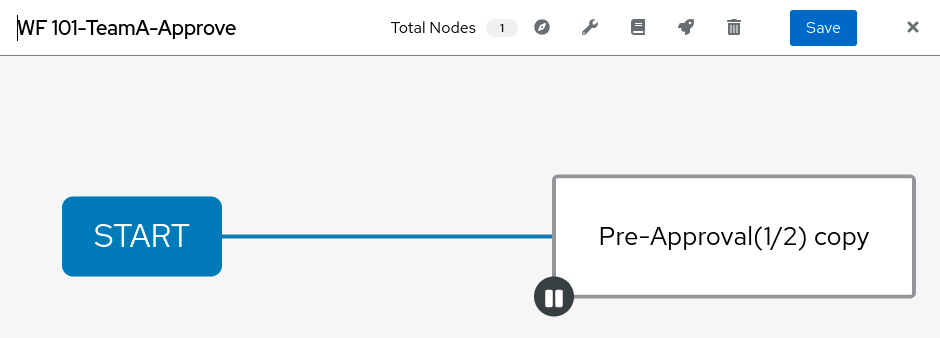
Design two independent workflows, each containing only an approval node.
Step 1: Assign Team-A as approvers for the first workflow.
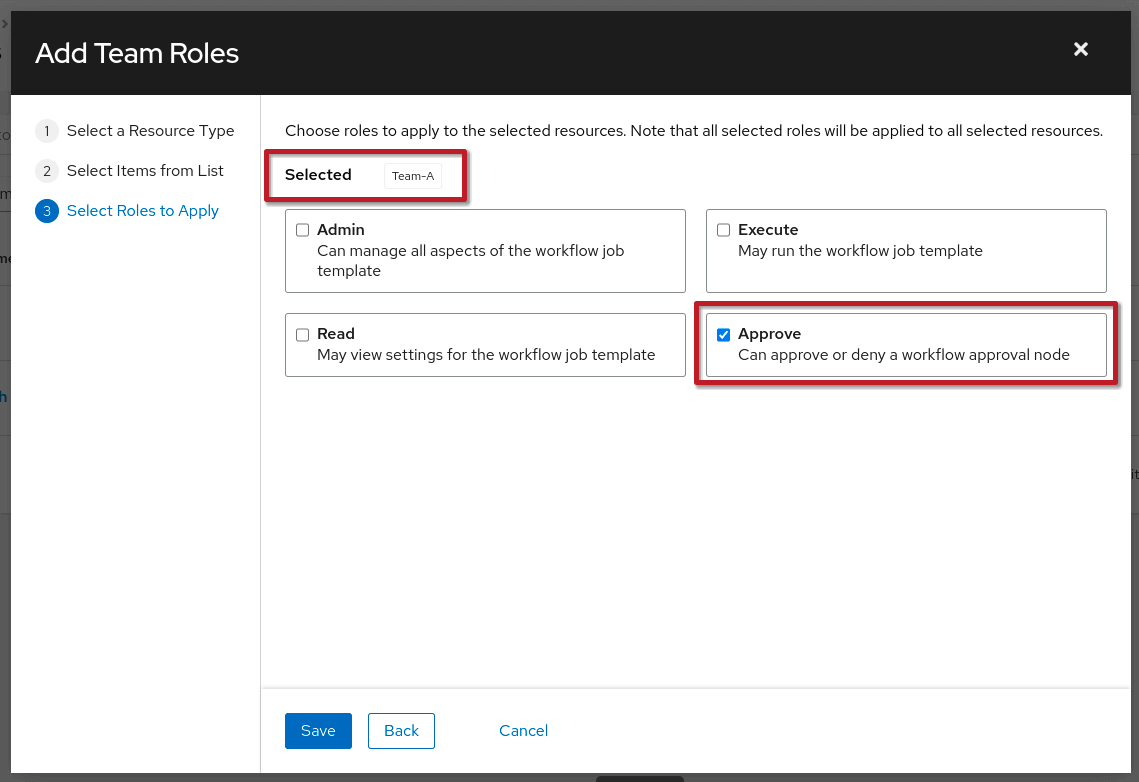
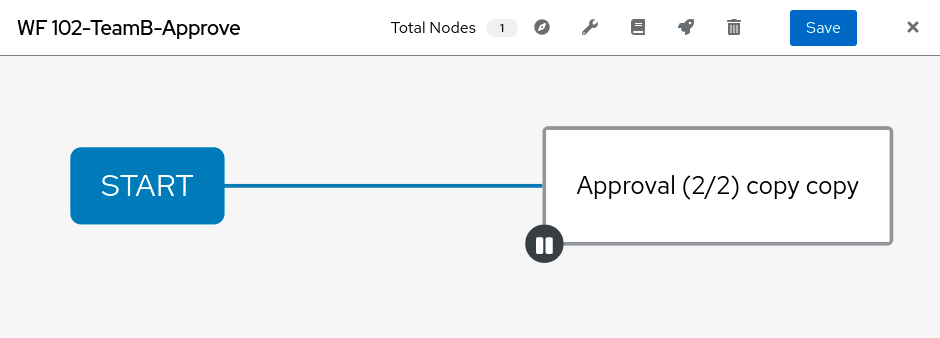
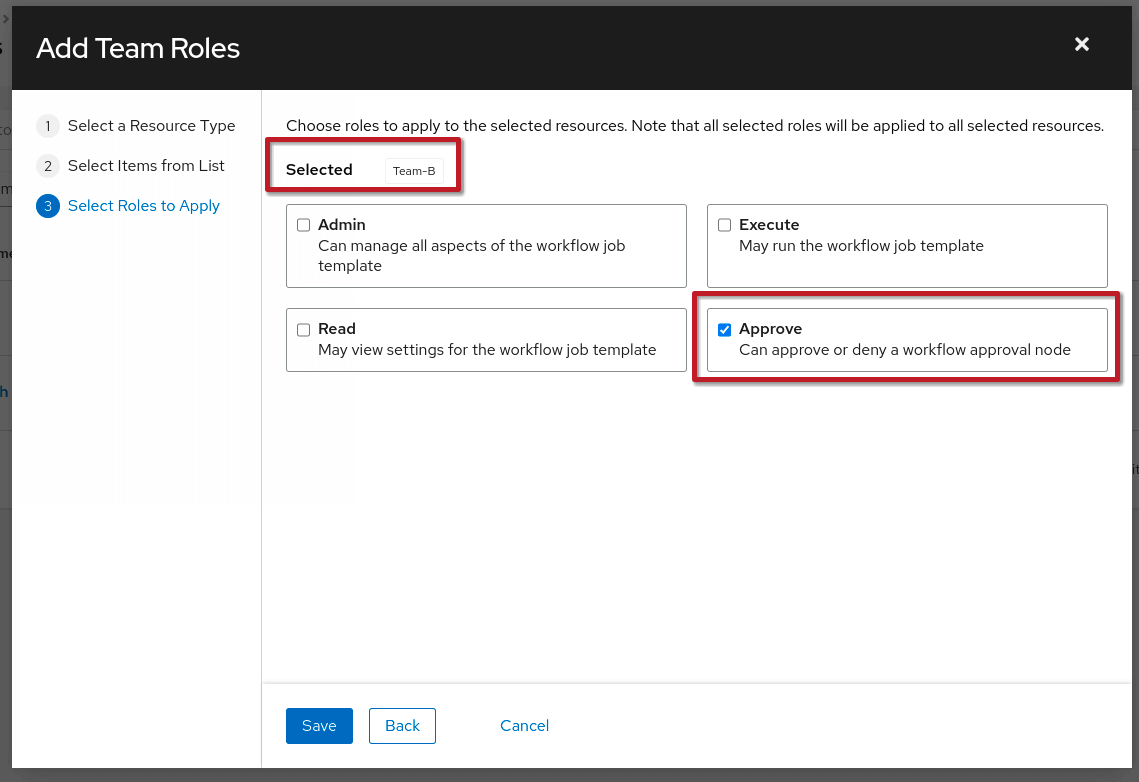
Chaining Workflows into Your Main Workflow
Insert these “Approval-only” workflows sequentially within your main workflow. This establishes a multi-step approval process. You can select the Node Type as “Workflow Job Template” when you add the node for this.
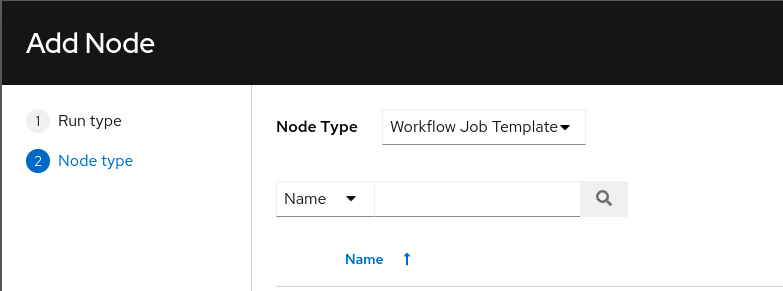
The Benefit
Team-A only sees the approval for their designated step, and Team-B only sees theirs. Approvals progress sequentially, guaranteeing the correct teams authorize each stage.
Visualizing the Workaround
Imagine a main workflow with four nodes and combine the sub -workflows for the approvals.
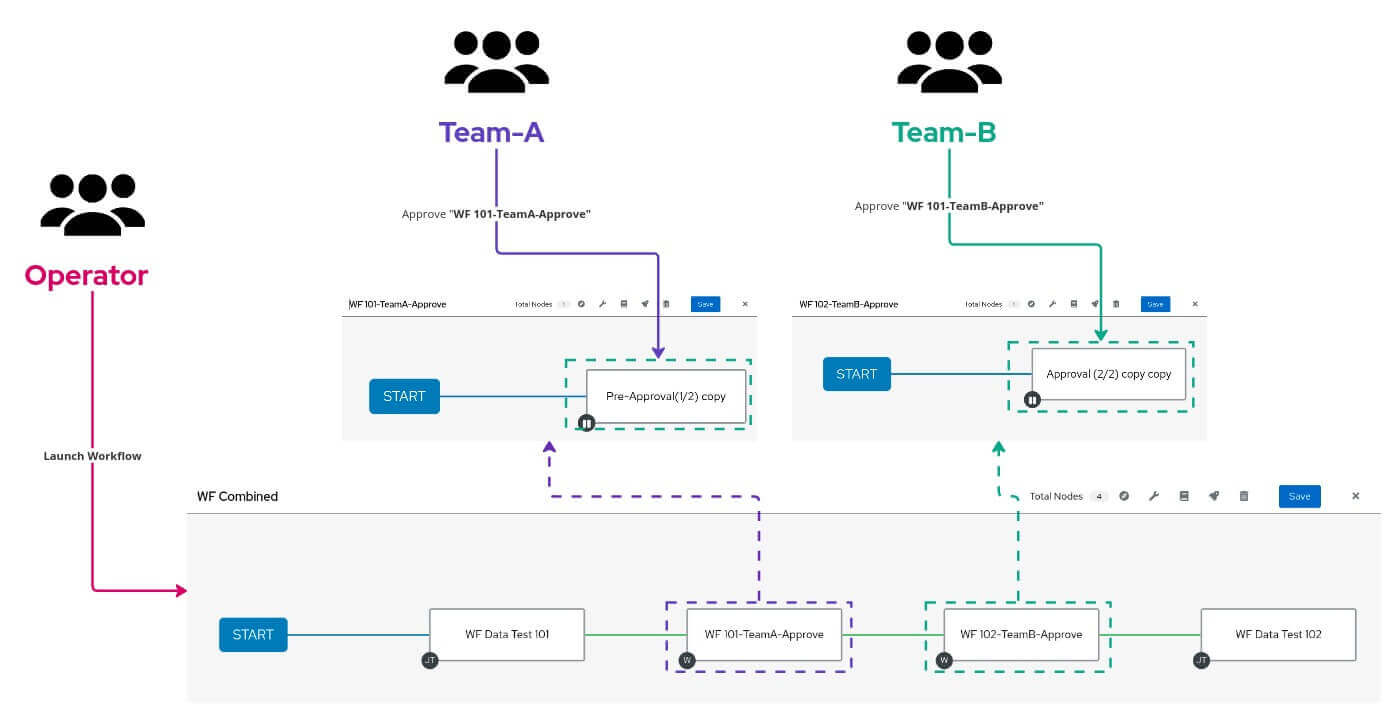
By inserting the “Approval-only” workflows ( WF 101-TeamA-Approve and WF 102-TeamB-Approve ) between Nodes 1 and 4, you create a sequential approval process.
The beauty of this workaround lies in its isolation.
Team-Aonly receives notifications and has approval rights for the “ WF 101-TeamA-Approve ” node.- Similarly,
Team-Bsolely interacts with the “ WF 102-TeamB-Approve ” node. - This ensures a sequential approval process where each team approves their designated step before the workflow progresses to the next team and ultimately, the remaining tasks in the main workflow.
Conclusion: Prioritizing Best Practices
Ansible Automation Controller excels at automation, and its built-in approval nodes offer basic workflow control. However, for true multi-level approvals, leveraging your existing ITSM system is the gold standard. This approach provides superior control, and auditability, and streamlines your change management process.
We welcome your feedback in the comments below! Have you encountered similar multi-level approval challenges? How did you approach them?

Gineesh Madapparambath
Gineesh Madapparambath is the founder of techbeatly. He is the co-author of The Kubernetes Bible, Second Edition and the author of Ansible for Real Life Automation. He has worked as a Systems Engineer, Automation Specialist, and content author. His primary focus is on Ansible Automation, Containerisation (OpenShift & Kubernetes), and Infrastructure as Code (Terraform). (Read more: iamgini.com)


 Jin Zhang